Team6 · August 12, 2026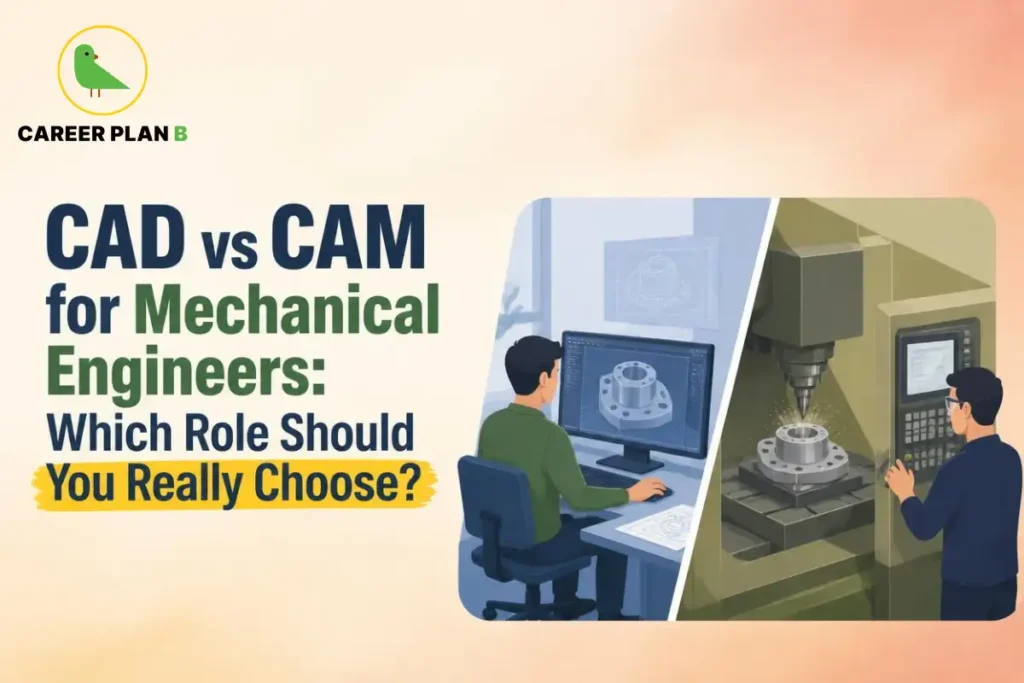
Introduction
Every product you interact with daily, the phone in your pocket, the chair you sit on, and the car you drive, began its life as a digital model on an engineer’s screen. But the journey from that first digital sketch to a finished, manufactured product involves two very distinct engineering disciplines that are often confused, combined, or misunderstood.
CAD vs CAM for mechanical engineers is one of the most practical career decisions a design- or manufacturing-orientated engineer will face, and it is a decision that shapes not just your job title but your entire professional identity, your daily work environment, and your long-term career ceiling.
CAD, computer-aided design, is where products are conceived, visualised, and detailed. CAM, computer-aided manufacturing, is where those designs are translated into the precise machine instructions that physically create the product. Both are essential. Both are in high demand. But they attract different kinds of thinkers and lead to very different careers.
The global CAD/CAM software market was valued at over $11 billion in 2023 and is projected to grow at a compound annual growth rate of over 6% through 2030, driven by the expansion of smart manufacturing, EV production, aerospace growth, and medical device development. (Source: UNIDO – World Manufacturing Report)
This blog gives you a complete, honest comparison of CAD vs CAM for mechanical engineers, covering what each role involves, the skills required, salary expectations, career trajectories, and most importantly, how to decide which one is right for you.
What Is CAD and What Does a CAD Engineer Do? Actually Do?
Computer-Aided Design is the use of software to create, modify, analyse, and optimise two-dimensional drawings and three-dimensional models of products and components.A CAD engineer essentially gives a product its shape, dimensions, tolerances, and technical identity on screen before anyone manufactures a physical component.
A CAD engineer’s career in India typically involves:
- Creating detailed 3D models of components, assemblies, and systems using CAD software
- Producing 2D engineering drawings with dimensions, tolerances, and material specifications
- Collaborating with design and R&D teams to translate concepts into manufacturable geometry
- Running simulations and analysis stress, thermal, and motion to validate designs virtually
- Modifying designs based on feedback from manufacturing, quality, and client teams
- Managing CAD data, version control, and product lifecycle documentation
CAD engineers work across a remarkably wide range of industries: automotive, aerospace, consumer electronics, architecture and construction, industrial machinery, medical devices, and defence. Wherever a physical product needs to be designed before it is built, a CAD engineer is at the table.
Key CAD Tools Every Mechanical Engineer Should Know
- SolidWorks the most widely used CAD platform in Indian manufacturing and globally
- AutoCAD is the industry standard for 2D drafting and is widely used in civil, mechanical, and electrical design
- CATIA is preferred in aerospace and automotive OEMs like Airbus, Boeing, and Dassault
- Fusion 360 increasingly popular for product design, startups, and rapid prototyping
- Siemens NX is used in high-end manufacturing and automotive product development
- PTC Creo is strong in defence, industrial machinery, and complex assembly design
What Is CAM and What Does a CAM Engineer Do?
Computer-Aided Manufacturing is the use of software to control machine tools and related machinery in the manufacturing of workpieces. A CAM engineer takes the digital model created in CAD and generates the precise toolpaths, cutting sequences, feed rates, and machine instructions called G-code that tell a CNC (Computer Numerical Control) machine exactly how to cut, mill, drill, or turn a part into physical reality.
CAM engineer job roles typically involve:
- Interpreting CAD models and engineering drawings to plan machining strategies
- Programming CNC machines using CAM software to generate efficient, accurate toolpaths
- Selecting appropriate cutting tools, materials, feeds, speeds, and machining sequences
- Simulating machining operations virtually to detect collisions or errors before running on actual machines
- Setting up CNC machines, running first-article inspections, and validating dimensional accuracy
- Optimising programs to reduce cycle time, tool wear, and material waste
- Working with quality teams to ensure machined parts meet drawing specifications
CAM programming careers focus on industries that rely on precision machining, including aerospace components, automotive tooling and dies, medical implants and devices, defence parts, and high-precision industrial equipment.
Have Any Doubts?
Key CAM Tools and Programming Languages
- Mastercam the most widely used CAM software globally for CNC programming
- Siemens NX CAM is preferred in aerospace and high-precision manufacturing
- GibbsCAM is strong in complex multi-axis machining
- Fusion 360 CAM is increasingly used in smaller shops and rapid-manufacturing environments
- G-Code and M-Code are the fundamental programming languages of CNC machines that every CAM engineer must understand
Core Difference Between CAD and CAM Head-to-Head
Understanding the difference between CAD and CAM at a functional level is essential before choosing your path.
| Aspect | CAD Computer-Aided Design | CAM Computer-Aided Manufacturing |
|---|---|---|
| Primary Function | Creating and detailing digital product models | Translating designs into machine instructions |
| Core Output | 3D models, 2D drawings, assemblies | CNC programs, toolpaths, G-code |
| Work Environment | Design office, R&D lab, product development team | Manufacturing floor, machine shop, production facility |
| Key Tools | SolidWorks, CATIA, AutoCAD, Creo, NX | Mastercam, NX CAM, GibbsCAM, Fusion 360 CAM |
| Industries | Automotive, aerospace, consumer products, medical, defence | Aerospace parts, automotive tooling, medical implants, industrial machinery |
| Thinking Style | Visual, creative, conceptual, detail-oriented | Process-oriented, logical, precision-focused |
| Collaboration | R&D, product managers, clients, simulation teams | Manufacturing, quality, production planning, shop floor |
| Physical Product Contact | Rarely, primarily digital work | Frequently works directly with machines and physical parts |
The most important insight here is that CAD and CAM are sequential rather than competing. CAD creates the design; CAM executes it. In many organisations, especially smaller ones, the same engineer does both. But as companies scale, these roles specialise, and the skills, mindsets, and career paths diverge significantly.
CAD vs CAM Salary in India and Globally
Salary is a practical and important dimension of the CAD vs CAM salary in India comparison, and the numbers tell an interesting story.
CAD Engineer Salary in India:
- Entry-level (0–2 years): ₹3–5 LPA at smaller firms; ₹5–8 LPA at automotive OEMs and aerospace companies
- Mid-level (3–6 years): ₹8–14 LPA with strong SolidWorks or CATIA proficiency
- Senior CAD Designer / Design Lead (7+ years): ₹15–25 LPA at top OEMs and product companies
- Specialised roles, such as simulation engineers, PLM administrators, and design automation specialists, can command ₹20–35 LPA
CAM Engineer / CNC Programmer Salary in India:
- Entry-level (0–2 years): ₹3–5 LPA at precision machining shops; ₹5–7 LPA at aerospace or medical device manufacturers
- Mid-level (3–6 years): ₹7–13 LPA with multi-axis CNC programming expertise
- Senior CNC Programmer / Manufacturing Engineer (7+ years): ₹14–22 LPA at leading aerospace, defence, or medical manufacturing companies
- Specialised multi-axis and 5-axis CNC programmers with Mastercam or NX CAM expertise are in short supply and command premium salaries
Government Sector: Both CAD and CAM engineers are employed across DRDO, HAL, ISRO, and BEML. Pay scales follow the 7th Pay Commission and IDA pattern for PSU employees. (Source: Ministry of Finance – Pay Commission) (Source: HAL Careers) (Source: DRDO Careers)
Global Salary Benchmarks:
According to the U.S. Bureau of Labour Statistics, mechanical engineers working in CAD-heavy design roles earn a median of approximately $99,000 per year, while manufacturing and CNC-focused engineers earn a comparable median of $96,000–$103,000 annually. (Source: BLS – Mechanical Engineers)
In Germany, CAD and CAM engineers in automotive and aerospace manufacturing earn between €45,000 and €75,000 per year, depending on experience and specialisation. In the UAE, tax-free salaries of AED 120,000–180,000 per year are common for experienced CAD/CAM engineers in oil and gas and industrial manufacturing.
Career Growth: Where Does Each Role Take You?
Career in CAD Design Engineering Progression Path:
A career in CAD design engineering typically follows this arc:
- Junior CAD Designer (0–2 years): Creating components and assemblies under supervision, learning product standards
- CAD Designer / Design Engineer (2–5 years): Independent design work, leading small sub-assemblies, running simulations
- Senior Design Engineer (5–8 years): Leading product design programmes, mentoring juniors, and interfacing with clients
- Design Lead / Chief Engineer (8–12 years): Owning complete product platforms, setting design standards
- Engineering Manager / VP Engineering (12+ years): Strategic leadership of entire product development teams
Specialisation paths include simulation and FEA Engineering, Digital Twin Development, PLM (Product Lifecycle Management) Administration, and Design Automation, all of which command premium compensation.
CAM Programming Career Opportunities Progression Path:
- CNC Trainee / Junior CAM Programmer (0–2 years): Programming simple 2.5-axis and 3-axis operations
- CNC Programmer / CAM Engineer (2–5 years): Programming complex multi-axis parts, setting up machines
- Senior CAM Programmer / Process Engineer (5–8 years): Owning complete machining programmes for critical components, training junior programmers
- Manufacturing Engineer / Production Manager (8–12 years): Managing entire machining cells or production lines
- Plant Manager / Head of Manufacturing (12+ years): Strategic leadership of manufacturing operations
Emerging Opportunities in CAD and CAM With Industry 4.0
- Digital Twin Technology: CAD engineers are increasingly building live digital models that mirror physical product behaviour in real time
- Generative Design: AI-driven CAD tools that automatically generate optimised geometries based on performance constraints – a rapidly growing specialisation
- Adaptive CNC Machining: CAM systems integrated with machine sensors that adjust toolpaths in real time based on cutting conditions
- Additive Manufacturing Programming: A new branch of CAM focused on 3D printing toolpath generation for metal additive manufacturing
The National Manufacturing Competitiveness Programme (NMCP) under the Ministry of Heavy Industries supports skilling and technology adoption in these areas. (Source: Ministry of Heavy Industries)
CAD CAM Skills You Need to Build Right Now
Whether you choose CAD, CAM, or both, here are the CAD CAM skills for mechanical engineers that the market is actively paying for:
For CAD Roles:
- Proficiency in at least one major CAD platform, SolidWorks, is the most employable starting point
- GD&T (Geometric Dimensioning and Tolerancing), the language of engineering drawings
- Simulation basics: FEA using ANSYS or SolidWorks Simulation
- PLM tools, such as Siemens Teamcenter or PTC Windchill, for data management
- Design for Manufacturability (DFM): understanding how your design affects manufacturing cost and quality
For CAM Roles:
- Mastercam or Siemens NX CAM proficiency, the two most in-demand platforms globally
- Multi-axis CNC programming (4-axis and 5-axis capability) commands significantly higher salaries
- G-code writing and editing, understanding the underlying machine language
- Metrology basics, CMM (Coordinate Measuring Machine) operation and GD&T interpretation
- Lean manufacturing and cycle time optimisation
Certifications Worth Pursuing:
- Certified SolidWorks Professional (CSWP), a globally recognised CAD certification (Source: SolidWorks Certification)
- Autodesk Certified Professional for AutoCAD and Fusion 360 (Source: Autodesk Certification)
- NSDC-aligned CAD/CAM courses through SMART (Skill Module for Advanced Robotics and Technology) (Source: NSDC)
- NPTEL courses in CAD, CAM, and Manufacturing Technology are free for Indian students (Source: NPTEL)
- AICTE-approved diploma programmes in CAD/CAM for those seeking formal credentials (Source: AICTE)
Which Role Is Right for You: CAD or CAM?
Here is a practical decision framework for the CAD vs CAM for mechanical engineers’ choice:
Choose CAD if you:
- Are drawn to the creative and conceptual side of engineering,, imagining what a product should look like and how it should function
- Enjoy working in a design office environment with digital tools and cross-functional collaboration
- Are interested in product development, R&D, and innovation
- Have strong spatial visualisation skills and attention to geometric detail
- Want a career that can lead to product management, engineering leadership, or simulation specialisation
- Are you comfortable spending most of your day in front of a screen designing and iterating
Choose CAM if you:
- Are energised by the physical side of manufacturing, the sound of machines, the feel of precision metal parts
- Enjoy logical, process-oriented problem-solving, finding the most efficient way to machine a complex geometry
- Are interested in how designs actually get made, not just how they are conceived
- Have strong attention to detail in a procedural context; a single error in G-code can crash a machine worth crores
- Want a career that keeps you close to the factory floor and the people who build things
- Are drawn to continuous optimisation, always finding ways to cut faster, more accurately, and more efficiently
The honest answer for many engineers: if you are early in your career and unsure, learn both. CAD/CAM combined proficiency, especially with SolidWorks for design and Mastercam for manufacturing, makes you significantly more versatile and employable across the entire product development and manufacturing ecosystem.
How Career Plan B Helps
Deciding between CAD vs CAM for a mechanical engineer’s career path requires more than reading a comparison blog; it requires honest self-assessment of your thinking style, strengths, and long-term goals. Career Plan B offers Psycheintel-based career assessment tests that evaluate whether your cognitive profile aligns better with design-orientated CAD roles or process-driven CAM programming careers. Through personalised career counselling, academic and certification pathway guidance, and structured career roadmapping, Career Plan B helps mechanical engineers choose the right specialisation and build toward it with clarity and confidence rather than guesswork.
For Latest Information
Frequently Asked Questions
Q1. What is the main difference between CAD and CAM for a mechanical engineer?
CAD (Computer-Aided Design) helps engineers create digital 3D models and engineering drawings of products. CAM (Computer-Aided Manufacturing) uses those models to generate machine instructions, toolpaths and G-code that control CNC machines to physically manufacture the parts. CAD is about designing; CAM is about making. In many organisations, experienced engineers do both, but at larger companies, the roles are distinct specialisations.
Q2. Which has better career growth, CAD or CAM engineering?
Both offer strong career growth, but in different directions. CAD engineers can progress into design leadership, product management, simulation engineering, and digital twin development. CAM engineers progress into manufacturing engineering, CNC programming leadership, process optimisation, and plant management. The ceiling is high in both tracks; the right choice depends on whether you are more drawn to design or manufacturing.
Q3. Is it better to learn both CAD and CAM as a mechanical engineer?
Yes, especially early in your career. Combined CAD/CAM proficiency makes you more employable across a wider range of companies and roles. As you gain experience and identify which aspect you enjoy more, you can specialise. Engineers who genuinely master both are particularly valuable in smaller manufacturing companies that need one person to handle the full design-to-manufacture workflow.
Q4. What are the best CAD CAM certifications for mechanical engineers in India?
The Certified SolidWorks Professional (CSWP) ranks as the most widely recognised CAD certification globally. For CAM, Mastercam certification is the most valued in precision manufacturing. NPTEL offers free courses in CAD, CAM, and manufacturing technology for Indian students. AICTE-approved diploma programmes are also available for those seeking formal institutional credentials.
Conclusion
CAD vs CAM for mechanical engineers is not a competition; it is a choice between two equally important, equally rewarding, and deeply interconnected engineering careers. One gives shape to ideas. The other gives those ideas physical form. Together, they represent the complete journey from imagination to manufactured reality.
What matters is not which one sounds more impressive but which one aligns with how your mind works, what kind of problems energise you, and what kind of professional environment you want to spend your career in.
Make that choice with data, self-awareness, and expert guidance, not pressure or default. Visit Career Plan B today to assess your strengths, explore your options, and build a mechanical engineering career that is genuinely built for you.