Team6 · July 9, 2026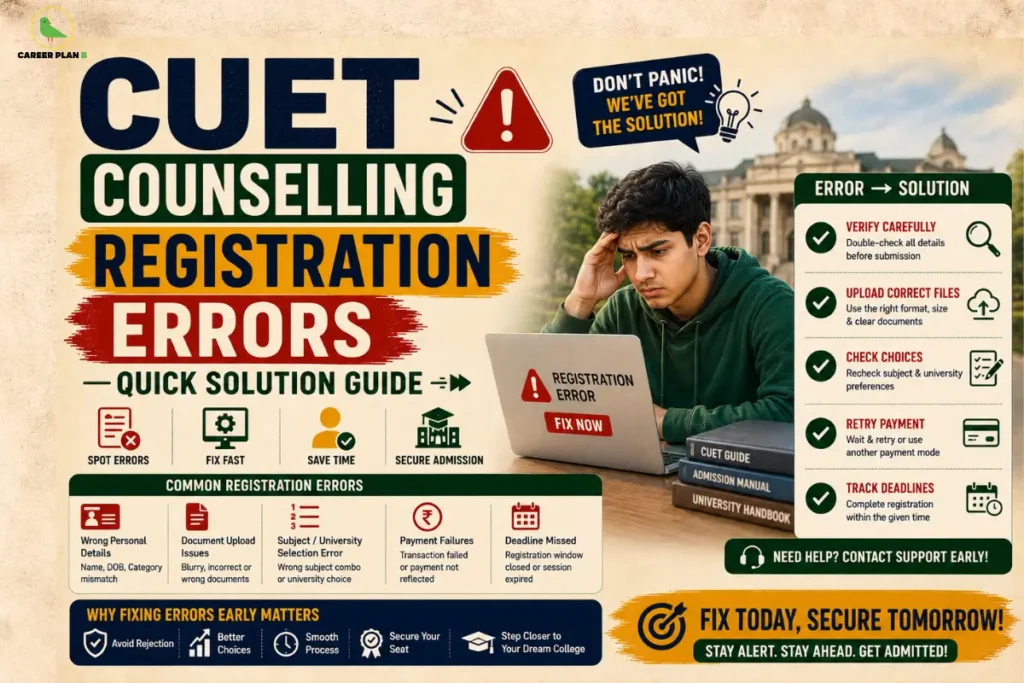
Introduction
You have given months to prepare. You have sat through the exam. And now, just when the finish line feels close, the registration portal throws an error at you. The screen freezes. The OTP never arrives. The payment is deducted but the form still shows “incomplete.” If this sounds familiar, you are not alone — thousands of students face CUET counselling registration errors every single year at this exact stage.
The good news? Most of these errors are fixable. You do not need to panic, and you definitely do not need to give up. This guide walks you through the most common CUET registration form errors, tells you exactly what to do about each one, and helps you get through the NTA CUET counselling portal without losing your mind or your seat.
What Is CUET Counselling and Why Does It Matter So Much?
Here is a quick picture of where you stand. The National Testing Agency (NTA) conducts the Common University Entrance Test (CUET) to give students across India a single window to apply for undergraduate programmes in central and participating universities. In the exam part, most students manage well. It is the CUET UG counselling process that catches them off guard.
Once your results are declared, each participating university — Delhi University, BHU, JNU, and others runs its own counselling schedule on its own portal. You register, fill in your preferences, go through document verification, and wait for seat allotment. Miss a step, enter a wrong detail, or get tripped up by a technical glitch and weeks of effort can go to waste.
This is why the counselling registration stage deserves just as much attention as your exam preparation did.
Why Do Registration Errors Happen in the First Place?
Before jumping to fixes, it helps to understand where the problem usually starts. Registration errors in CUET fall into two broad buckets.
Technical Glitches on the NTA Portal
The NTA CUET counselling portal handles lakhs of students at the same time, especially close to deadlines. Heavy traffic on the website can cause slow loading, server timeouts, OTP delays, and payment gateway failures. These are not because of anything you did wrong — they are system-level issues that happen every cycle.
Student-Side Mistakes During Form Filling
On the other hand, there are errors that students bring on themselves, usually out of rush or confusion. Entering a name that does not match Aadhaar, uploading a photo in the wrong format, selecting the wrong category, or choosing university preferences without reading the instructions these small slips can cause big problems during the CUET seat allotment process.
Knowing which type of error you are dealing with changes how you respond to it.
The Most Common CUET Counselling Registration Errors (And How to Fix Them)
Let’s get into the specifics. Here are the errors students report most often, and what you can do right now.
Error 1: Login or OTP Not Received
You enter your mobile number or email, click “Get OTP,” and nothing. Or the OTP arrives three minutes late and has already expired.
Why this happens: Server overload, weak mobile network, or a mismatch between your registered contact details and what you are entering.
What to do:
- Wait a few minutes and try again — portal traffic drops after peak hours
- Check your spam or junk folder if you are waiting for an email OTP
- Make sure you are using the same mobile number you registered with during the CUET UG application
- If the issue continues, try a different browser or device
One important reminder: always use your own personal mobile number, not a parent’s or friend’s. NTA sends all critical updates to the registered contact, and you cannot change the mobile number after submission.
Error 2: Document Upload Failures
You try to upload your photograph or category certificate and the portal either rejects it or hangs indefinitely.
Why this happens: The file size is too large, the format is wrong (for example, a HEIC photo from an iPhone instead of JPG), or the image quality does not meet NTA specifications.
What to do:
- Use a recent passport-size photograph with a white background, 80% face visibility, in JPG/JPEG format
- Keep the file size within the specified limit mentioned in the CUET Information Bulletin on nta.ac.in
- Compress the image using free online tools if needed, but do not compromise on clarity
- For category certificates (SC, ST, OBC, EWS), make sure the certificate is current and issued by a competent authority
- If you verified your Aadhaar via DigiLocker during registration, you may not need to upload a separate ID proof — check the official instructions on cuet.nta.nic.in
Error 3: Incorrect Personal Details
You submitted the form and then noticed that your name is spelled differently from your Class 10 certificate, or your date of birth is wrong.
Why this happens: Students often fill forms in a hurry, or copy details from memory instead of referring to official documents.
What to do:
- Do not panic — NTA typically opens a correction window after the registration closes
- During the correction window, you can usually update your name (one field at a time), date of birth, gender, category, and photograph
- Log in to cuet.nta.nic.in and check if the correction facility is active
- Note: mobile number and email address cannot be changed after submission, so always double-check these before submitting
- Use only your official name as it appears on your Aadhaar and Class 10 marksheet shortened names or nicknames cause verification issues during counselling
Error 4: Payment Deducted But Form Shows “Incomplete”
This one causes the most panic. Your bank confirms the transaction, but the CUET registration portal still shows your application as incomplete or payment pending.
Why this happens: Payment gateway delays, especially during high traffic periods, can cause a lag between the actual transaction and the portal updating your status.
What to do:
- Wait 24 to 48 hours — in most cases, the portal syncs automatically
- Log back in and recheck your application status
- Take a screenshot of the bank SMS or UPI transaction confirmation as proof
- If the status still shows incomplete after 48 hours, email cuet-ug@nta.ac.in with your application number, transaction ID, and bank proof
- Do not make a second payment unless the deadline is very near and NTA support confirms the first payment was not recorded
Always save payment screenshots and bank messages immediately after a transaction on government portals. This one habit can save you from a lot of unnecessary stress.
Error 5: University Preference Filling or Locking Issues
You are on the choice-filling page and the preferences are not saving, or you accidentally locked your choices without reviewing them.
Why this happens: Browser incompatibility, session timeout after inactivity, or clicking “lock” before you intended to.
What to do:
- Use Chrome or Firefox on a desktop or laptop — mobile browsers sometimes behave unpredictably on government portals
- Do not leave the form open and unattended for too long; sessions expire
- Read university-specific instructions carefully before filling preferences — each university has its own portal and rules
- Visit the official website of the specific university you are applying to (for example, du.ac.in for Delhi University) for its own counselling guidelines
- If preferences are locked in error, contact the university’s admission helpdesk directly NTA controls the exam, but individual universities control their own counselling portals
Step-by-Step: What to Do When You Are Stuck
Sometimes the issue is not one specific error — you are just stuck and do not know where to turn. Here is a clear action plan.
- Breathe first. Portals are slow during peak hours. Most errors resolve on their own within a few hours.
- Clear your browser cache and try again on a different browser or an incognito window.
- Check the official NTA website at nta.ac.in for any active notices or announcements about portal issues.
- Visit cuet.nta.nic.in and read the latest public notices — NTA frequently posts advisories when server issues are known.
- Note everything down — dates, times, reference numbers, and screenshots. This documentation matters if you need to escalate later.
Can You Correct Errors After Submission? Know Your Window
This is one of the most important things to understand about CUET. Once you submit your application, you cannot freely edit it. However, NTA announces a formal correction window, usually for a short period of two to three days, after the registration closes.
During this window, you can typically change:
- Candidate name or parent name (one field per correction window)
- Photograph and signature
- Date of birth and gender
- Category details
- Class 10 and Class 12 board and year details
- Exam city preferences
What you cannot change after submission:
- Registered mobile number
- Email address
This correction window is your one and only official chance to fix mistakes. Watch the NTA official website closely for the announcement. Missing this window means living with the error and that can create complications during document verification at university counselling.
Have Any Doubts?
Tips to Avoid These Errors Before They Happen
Prevention is always better than a late-night panic. Here are habits that genuinely make a difference:
- Fill the form on a weekday morning when server traffic is lower
- Keep all documents ready before you start — photograph, signature, Aadhaar, Class 10 certificate, category certificate (if applicable)
- Update your Aadhaar if the photo is outdated or the name is different from your school documents — this avoids OTP mismatch issues
- Use DigiLocker for Aadhaar verification — it simplifies the upload process and reduces chances of rejection
- Never fill the form on the last day — portal crashes close to deadlines are almost guaranteed
- Take a printout or screenshot of the final confirmation page the moment your form is submitted
How Career Plan B Helps
Career Plan B helps students navigate the CUET counselling process with clarity, confidence, and structured support, even when technical issues and uncertainty add to the stress:
- Personalized Career Counselling: Helps students understand their options, make informed admission decisions, and stay focused on long-term academic and career goals.
- Psycheintel & Career Assessment Tests: Provides data-backed insights into aptitude, personality traits, learning styles, and suitable academic and career pathways.
- Admission & Academic Profile Guidance: Supports students in navigating counselling processes, avoiding technical errors, organizing documentation, and making timely, informed choices.
- Career Roadmapping: Helps students create a structured long-term plan that connects their current academic journey with future opportunities and career direction.
- End-to-End Guidance: Assists students throughout CUET counselling and admissions so they never feel stuck or unsure at any stage of the process.
For Latest Information
Frequently Asked Questions
Q1. My OTP is not coming. What should I do?
Wait a few minutes and retry. Check your spam folder for email OTPs. Make sure you are entering the same mobile number used during initial registration. If the problem persists, contact NTA at 011-40759000 or cuet-ug@nta.ac.in.
Q2. My payment was deducted but my form shows “Payment Pending.” Is my application gone?
No. This happens due to payment gateway delays. Wait 24 to 48 hours and check again. Save your transaction proof and contact NTA with the transaction ID if the status does not update.
Q3. I entered my name incorrectly. Can I change it?
Yes, but only during the official correction window announced by NTA. Log in to cuet.nta.nic.in and check if the correction facility is currently active.
Q4. Can I change my registered mobile number after form submission?
No. NTA does not allow changes to mobile numbers or email addresses after submission. This is why it is critical to enter active, personal contact details during registration.
Q5. Which browser works best for the NTA portal?
Google Chrome or Mozilla Firefox on a desktop or laptop works most reliably. Avoid mobile browsers and Internet Explorer. Always clear your cache before logging in.
Conclusion
Getting to the counselling stage means you have already done the hard part. An error on a portal should not be the thing that holds you back. Most of the CUET counselling registration errors students face have clear solutions — they just need to know where to look and what steps to follow.
Stay calm, stay organised, and keep your documents and screenshots ready. The portal may be glitchy, the deadline may feel close, and the process may seem more complicated than it should be. But you have come too far to let a technical hiccup win. Your seat is waiting. Go get it.