Team6 · October 13, 2026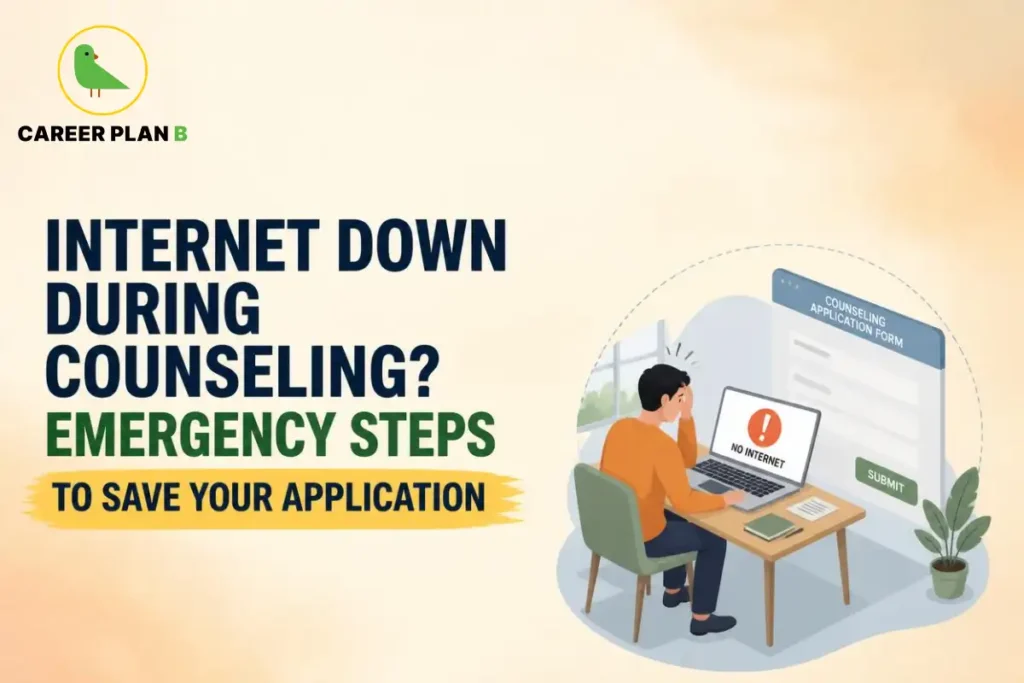
Introduction
Picture this. It is 11:47 pm. The CUET 2026 choice filling window closes at midnight. You have finally arranged your college and course preferences in the perfect order after three days of research, family debates, and last minute changes of heart. You click submit, and nothing happens. The page just sits there, spinning. Your internet is down during counselling, and the clock is not waiting for anyone.
If your stomach just dropped reading that, you are not alone. Every year, thousands of students across India face this exact moment during their CUET counselling process. The good news is that internet down during counselling situations, while stressful, are far more manageable than they feel at the moment. This blog walks you through exactly what to do, step by step, so a weak signal does not cost you the seat you have worked so hard for.
Why a Few Minutes of Connectivity Can Make or Break Your CUET 2026 Counselling
CUET counselling is not like a regular online form you can fill whenever you feel like it. Portals such as the Common Seat Allocation System for Delhi University, accessible at admission.uod.ac.in, operate on strict windows for registration, preference filling, and seat acceptance. Once that window closes, it generally does not reopen just because your Wi-Fi router decided to take a break.
Think of it like a train that leaves exactly on time, even if you are two minutes late because of traffic. The portal does not know or care why you were not able to click submit. It only sees whether the action was completed before the deadline. This is exactly why having a plan for connectivity issues is not optional anymore. It is as important as preparing your documents or deciding your college preferences.
Stay Calm: Is It Really Gone?
Before you panic, take ten seconds to actually check what is happening. Is it your home Wi-Fi, your mobile data, or is the counselling website itself down for everyone? These are three very different problems with three very different solutions.
A quick way to check is to open any other website or app on your phone. If everything else loads fine but the counselling portal does not, the issue might be with the website’s servers, not your connection. In that case, refreshing repeatedly will not help much, and you may need to wait a few minutes and try again. But if nothing is loading at all, your internet connection itself is the problem, and that is something you can usually fix faster than you think.
The First Five Minutes: What to Do the Moment Your Internet Drops
These first few minutes matter the most. Here is a simple sequence to follow without wasting time:
- Switch your device: If you were on a laptop connected to home broadband, try the same task on your phone using mobile data, or vice versa. Sometimes the issue is with one device’s connection, not the other.
- Restart your router: Turn it off, wait for fifteen seconds, and turn it on again. This sounds too simple to work, but it solves a surprisingly large number of connectivity problems.
- Check for an official notice: Before assuming the worst, glance at the official website’s homepage or any announcement section. Sometimes universities post notices about server maintenance or temporary downtime, along with revised timelines.
- Avoid refreshing aggressively: Clicking submit again and again when a page is not loading can sometimes cause duplicate entries or errors once the connection returns. Give it a moment.
Once you have tried these basic steps and your internet is still down during counselling, it is time to move to your backup options.
Emergency Backup Plans Every Student Should Have Ready
This is the part most students skip until it is too late. Having a backup plan ready before counselling day arrives can be the difference between a smooth submission and a sleepless night.
Mobile Hotspot and Data Pack
If your home broadband fails, your phone’s mobile data can act as a lifesaver. Before your counselling window opens, make sure your phone has an active data plan with enough balance. Keep a charging cable nearby too, because a hotspot drains battery quickly, and the last thing you need is your phone dying mid-submission.
Nearby Cyber Café or College Cyber Lab
Many students forget that cyber cafes still exist for exactly this reason. If both your home connection and mobile data fail, a nearby cyber cafe with a desktop and stable internet can save the day. If you are still in school or have access to your college computer lab, that is another reliable backup, especially since institutions often have more stable connections than individual homes.
A Friend’s or Family Member’s Connection
Sometimes the simplest solution is the best one. If a friend, cousin, or neighbor lives close by and has a different internet provider, their connection might be working perfectly fine even when yours is not. Keep a list of two or three such contacts ready, just in case.
What If You Miss the Deadline Because of Network Issues?
This is the question that keeps students up at night, and it deserves an honest answer. Universities understand that technical issues happen on a large scale during counselling, simply because lakhs of students are accessing the same portal at once. Most official counselling pages, including the CUET portal managed by the National Testing Agency at cuet.nta.nic.in, provide helpdesk numbers and email addresses specifically for such situations.
If you genuinely miss a deadline due to a technical glitch on the website’s end, your first step should always be to document everything. Take a screenshot of the error message, note the exact time it happened, and reach out to the official helpdesk as soon as possible with this proof.
Here is a quick reference table for where to seek help during CUET 2026 counselling related technical issues:
| Issue Type | What to Do | 2026 Tactical Resolution & Escalation Strategy |
|---|---|---|
| CUET Portal Not Loading | Check NTA helpdesk for updates | Clear browser cache, attempt off-peak access (late night/early morning), or monitor official NTA public notices on X (formerly Twitter) for server downtime alerts. |
| DU CSAS Portal Error | Visit official DU admission portal | Cross-check domain mapping and eligibility subject rules; raise an immediate ticket via the CSAS grievance redressal tab on your dashboard. |
| Payment Failed During Registration | Save transaction ID and contact helpdesk | Wait 24–48 hours for auto-reconciliation before attempting a re-payment; attach UTR/Transaction numbers when emailing official university bank desk support. |
| Document Upload Failure | Try a different browser or device | Ensure exact file extensions (.jpg/.jpeg vs .pdf), compress within strict KB thresholds, and switch to desktop Incognito/Private windows for stable upload streams. |
Keeping these official links bookmarked before your counselling date begins can save you precious minutes when every second counts.
Have Any Doubts?
How to Avoid This Crisis Before It Happens
Prevention is always easier than damage control. Here are a few habits that can help you stay ahead:
1. Do not wait until the last hour: Try to complete your registration, choice filling, or document upload at least a day before the deadline, not minutes before it.
2. Test your internet speed in advance: A quick speed test the night before can tell you if your connection is reliable enough for the task ahead.
3. Keep all documents ready and saved: Scanned copies, photographs, and certificates should be saved on your device beforehand, so you are not searching for files while the clock is ticking.
4. Use a wired connection if possible: Wi-Fi can be unpredictable, especially during peak hours when many people in your area are online at once. A wired connection tends to be more stable.
5. Inform a parent or sibling: Having someone else aware of your deadline means they can help you troubleshoot, or even submit from their device if needed, while you handle the technical side.
How Career Plan B Helps
Career Plan B helps students navigate counselling season with clarity, confidence, and structured support beyond just technical processes:
- Personalized Career Counselling: Helps students understand which courses and colleges genuinely align with their strengths, interests, and long-term goals, reducing confusion during decision-making.
- Psycheintel & Career Assessment Tests: Provides data-backed insights into aptitude, personality traits, learning styles, and academic/career fit, helping students make self-aware choices.
- Admission & Academic Profile Guidance: Supports students in managing applications, understanding eligibility, and building a strong academic profile aligned with their preferred courses and universities.
- Career Roadmapping: Helps students create a structured long-term plan so that counselling decisions are connected to future academic and career goals—not just immediate pressure.
- End-to-End Guidance: Assists students throughout the counselling season so their choices are informed, intentional, and aligned with long-term direction rather than last-minute stress.
For Latest Information
Frequently Asked Questions
1. What should I do first if the CUET counselling website is not loading for everyone?
Check the official website’s notice board for any announcement about downtime or extended deadlines. If nothing is mentioned, wait a few minutes before trying again, since high traffic during peak hours is common.
2. Can I use my phone to complete counseling if my laptop’s internet stops working?
Yes, most official counselling portals are mobile friendly. Switching to your phone’s browser using mobile data is often the quickest fix.
3. Will universities extend the deadline if many students face internet issues?
In some cases, yes, especially if the issue is widespread and reported by many candidates. However, this is decided by the university and is not guaranteed, so it is best not to rely on it.
4. How do I prove that I faced a technical issue during counselling?
Take clear screenshots showing the error message along with the date and time, and keep any email confirmations or transaction IDs. This evidence helps when you contact the helpdesk.
5. Is it safe to use a cyber cafe for something as important as counselling?
Yes, as long as you log out completely after finishing and avoid saving your password on the shared computer. Cyber cafes are commonly used during high traffic admission periods for exactly this reason.
Conclusion
Counselling season already comes with enough pressure, from choosing the right course to managing family expectations. The last thing you need is technology adding to that stress. But as we have seen, internet down during counselling is a common hurdle, not a dead end, and with the right backup plan in place, it does not have to derail your admission journey.
The students who come out of this season feeling confident are usually the ones who prepared a little earlier than everyone else. So take these steps seriously, keep your backups ready, and walk into your counselling window knowing you have already covered your bases. Your seat is worth that extra bit of preparation.